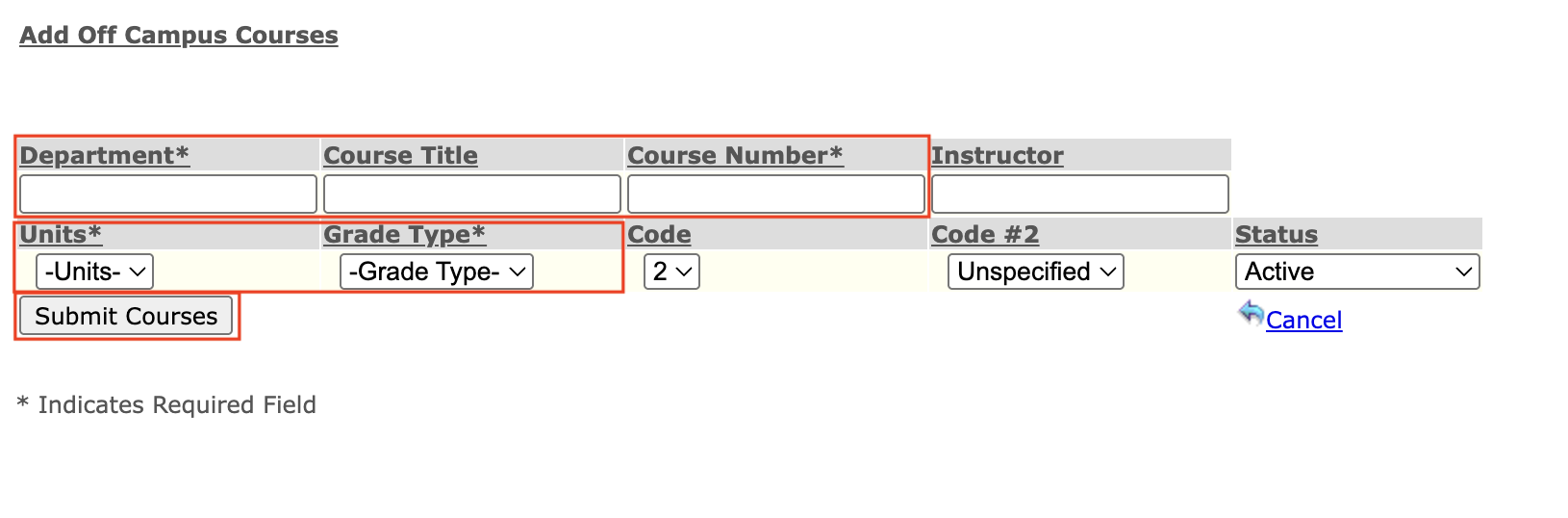
Hi Everyone - I have a page where I enter repeated information for various courses (subject, course number, etc (see attachment). To speed this up, I thought I could create TextExpander snippets using the Tab function, so the snippet would jump between fields the same way I do manually.
When I fill out the form by hand, I tab through fields. For drop-downs with numeric values, I just type the number: typing “3” selects option 3, typing it twice selects 3.25, three times selects 3.5, and so on. This works perfectly when I’m doing it manually.
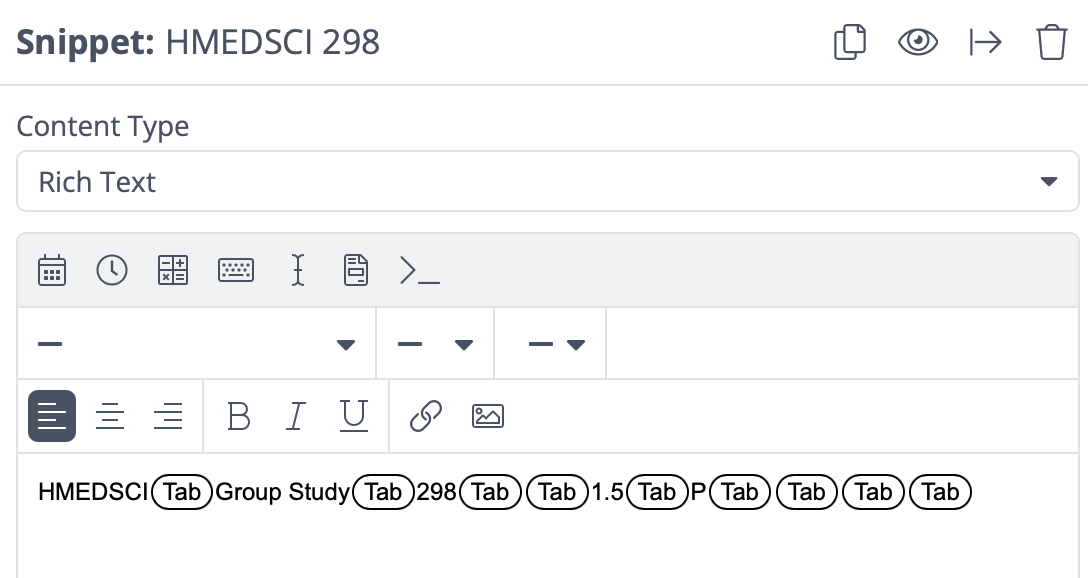
Using TextExpander, I figured I’d create the snippet the same way I use my keyboard, by inserting various tabs between the typed content (see attachment); however, when the TE gets to the drop-down fields, the behavior is different. I suppose because instead of typing the number, TE tries to paste the value into the field which doesn’t work. TE just tabs over the drop-down fields and leaves them unselected.
Is there a way for TE to work with drop-down fields like this?
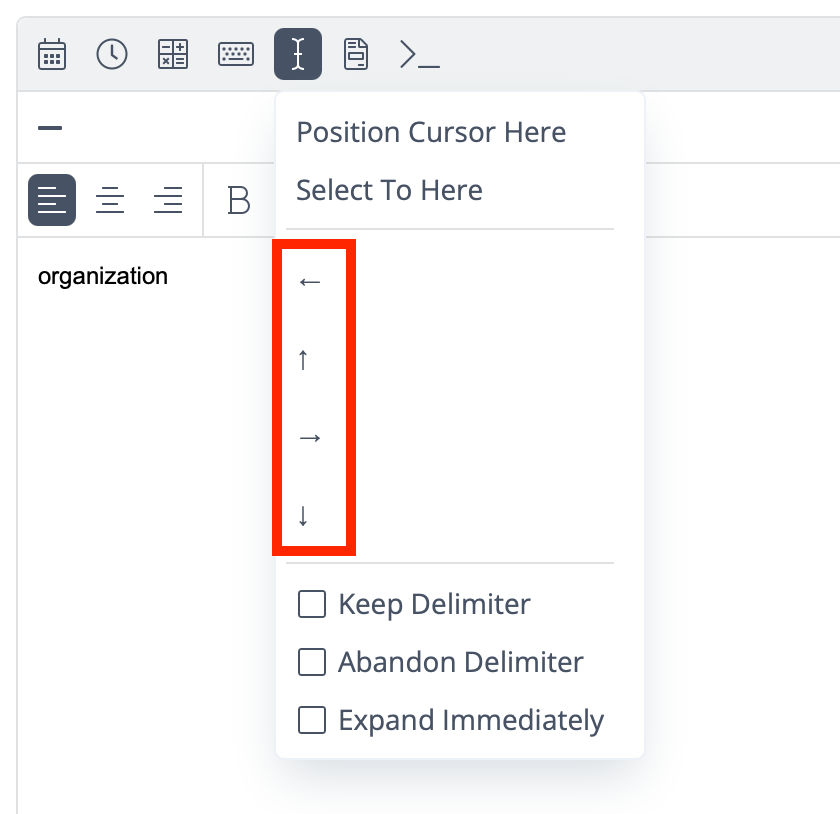
Hard to say without playing with it myself. Have you tried the arrow keyboard macros?
2 Likes
WOW! That works beautifully! Now I know what the arrows are used for!
Thank you, thank you!!!
4 Likes
Christian,
What a creative idea for using TE! Do you mind pasting a screenshot of the end result that “works beautifully”? Do you “trigger” the snippet in the Department column of the spreadsheet, and does it now insert the data for the rest of the fields in the spreadsheet as you complete the snippet?
Hi @HeatherCastleberry – happy to!
I’m the Associate Registrar at UCSF. In my role, I transcribe courses students have completed at other institutions into UCSF’s record by manually entering transcript information. For this particular joint program cohort, all students take the same courses each quarter. That made me wonder: instead of relying on a manual, error-prone process, how could I leverage TextExpander (TE) to automate more of this work?
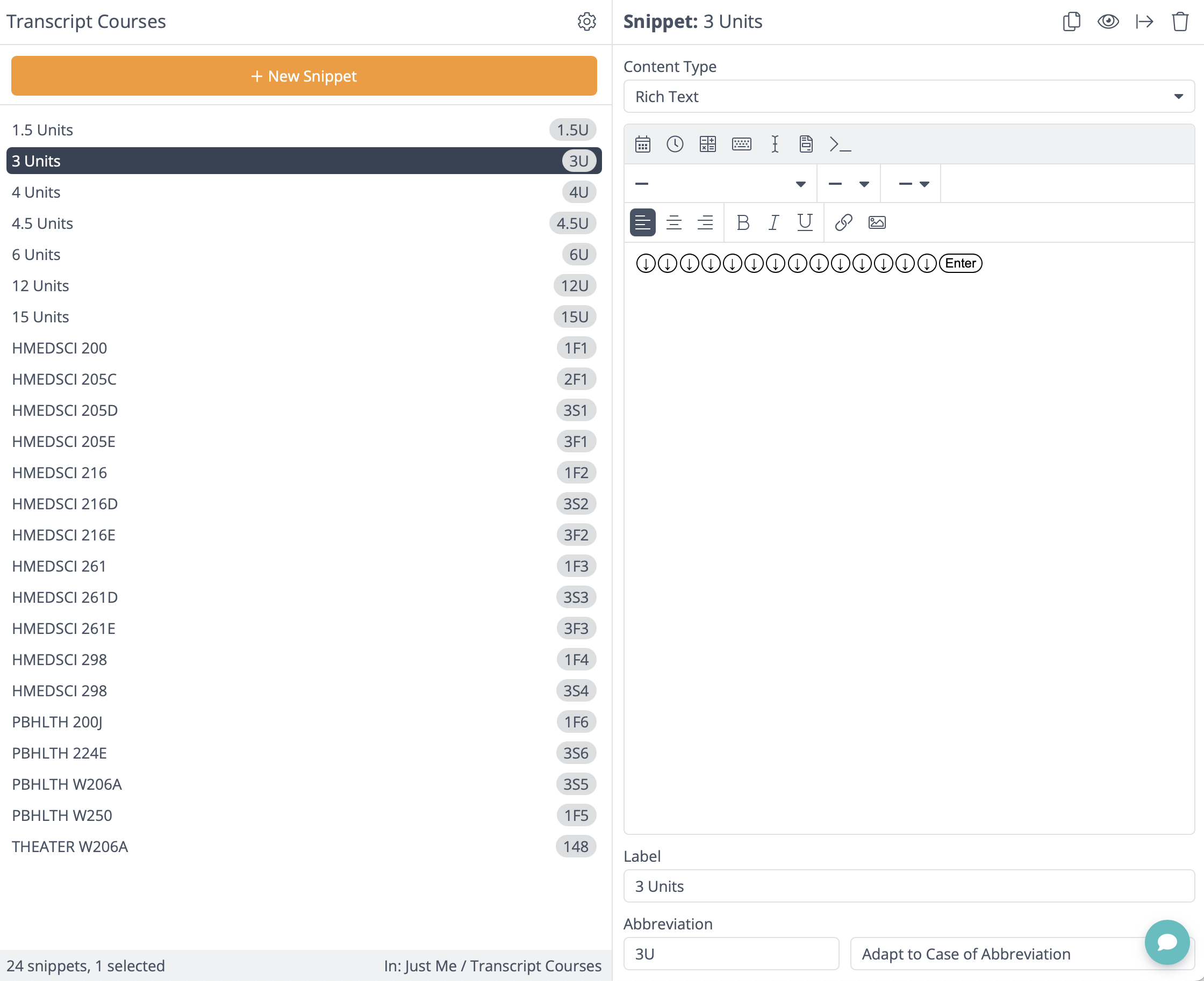
Since the data entry is into our student information system, a database with an input form, I can tab through the fields as I go. TE’s tab function made that part simple. The challenge came with drop-down fields, but I found, through this thread, that combining the arrow function with the Enter function solved that issue.
My only complaint is that the arrow function runs slowly. To save time, I’ll likely stop the snippets at the free-text field level and update the Units and Grade Type manually. That cuts the process in half and still speeds things up significantly. If there were a way to make the arrow function faster, the setup would be nearly perfect.
I’ve attached examples of my snippets. Each course has its own snippet, and within each course I embed a Unit snippet that handles the drop-down selections. I created all the Unit snippets separately so they can be reused in future courses.
If you’d like to see a quick screen recording to see how this works live, check it out here: https://ucsf.box.com/s/38h23uww165q28vaeq57rciwysv6ni1d
2 Likes
Thanks, Christian, this is an awesome use case. I directed the product team to your post and video since that’s a great use of TextExpander and I’d also like to see the arrow speed increased, if possible.
1 Like
Hey Hey . I graduated from UCI medschool so I feel we are almost related.
Thank you so much for this very helpful information. Much much appreciated.
1 Like
Any follow up of this use case.
I see what being done .Looks very useful but not sure how to implement it.
Nothing new, but setting up a TextExpander Snippet to navigate menus like this depends on two things:
- The keyboard macros described above.
- Thinking through the interface + trial and error.
So if you have a form like Christian’s, you need to record the steps it takes to navigate it with just the keyboard. Usually, you can press Tab to cycle through items in a form and then the up/down arrows to move through the dropdown lists.
Does that make sense?
1 Like
I see it
I like it a lot and can imagine
But I don’t see how to begin to create this
I think I’m having the same issue of not understanding the arrows. I’ve never used them in text expander before to the best of my knowledge. And I just need a simple used case with three drop down maybe four and then should be able to take it from there, but it’s the programming and knowing how to even set up the ability to use the arrows for selection choices
Would a video be helpful?