Hi @HeatherCastleberry – happy to!
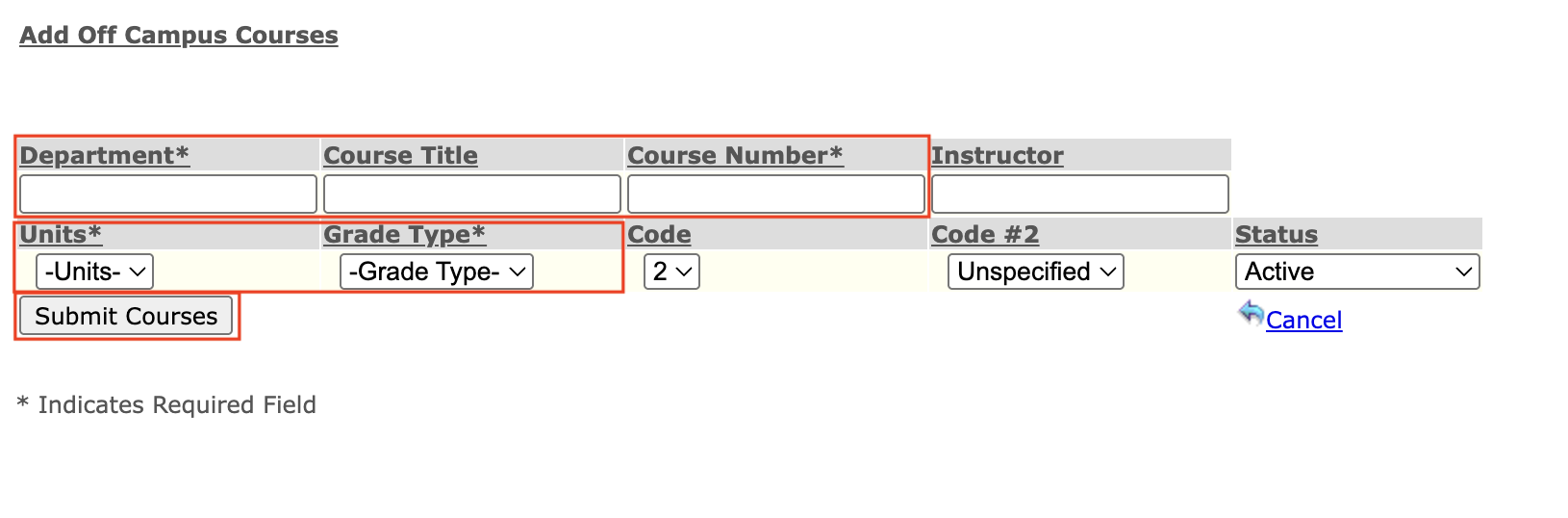
I’m the Associate Registrar at UCSF. In my role, I transcribe courses students have completed at other institutions into UCSF’s record by manually entering transcript information. For this particular joint program cohort, all students take the same courses each quarter. That made me wonder: instead of relying on a manual, error-prone process, how could I leverage TextExpander (TE) to automate more of this work?
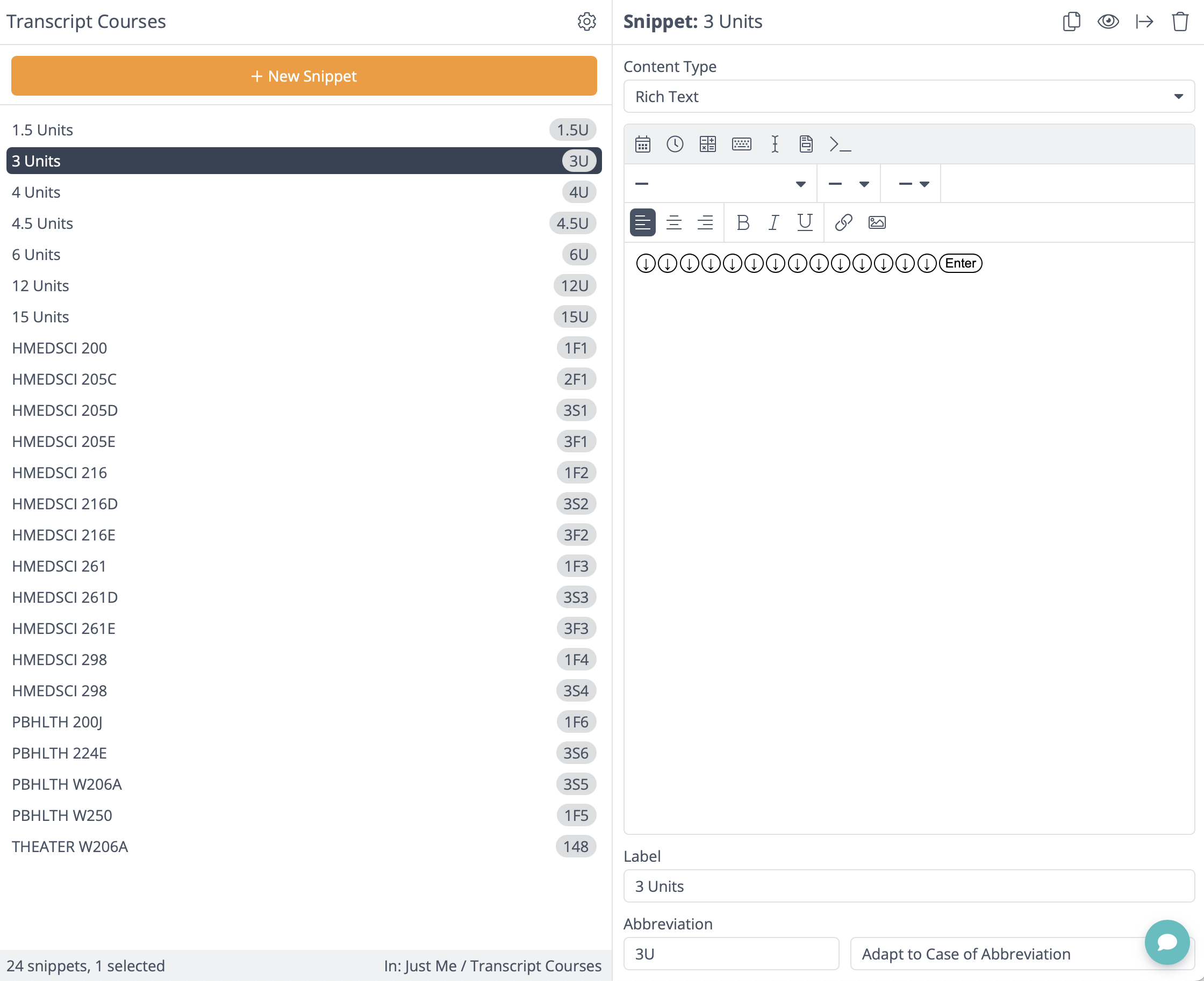
Since the data entry is into our student information system, a database with an input form, I can tab through the fields as I go. TE’s tab function made that part simple. The challenge came with drop-down fields, but I found, through this thread, that combining the arrow function with the Enter function solved that issue.
My only complaint is that the arrow function runs slowly. To save time, I’ll likely stop the snippets at the free-text field level and update the Units and Grade Type manually. That cuts the process in half and still speeds things up significantly. If there were a way to make the arrow function faster, the setup would be nearly perfect.
I’ve attached examples of my snippets. Each course has its own snippet, and within each course I embed a Unit snippet that handles the drop-down selections. I created all the Unit snippets separately so they can be reused in future courses.
If you’d like to see a quick screen recording to see how this works live, check it out here: https://ucsf.box.com/s/38h23uww165q28vaeq57rciwysv6ni1d